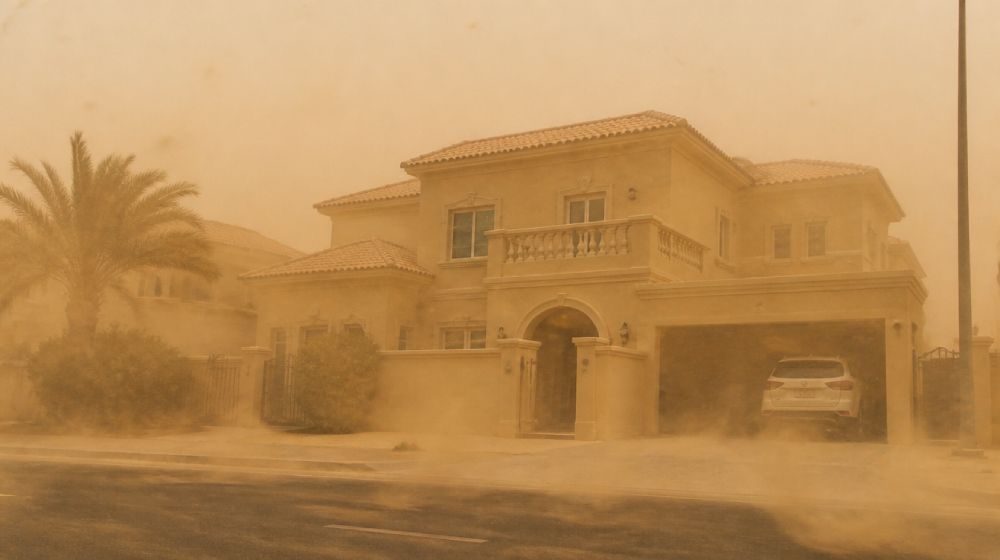
When a sandstorm hits, your AC does more than cool the room. It also becomes the first line of defence against dust entering your home. The problem is simple: fine sand can settle on the outdoor unit, block indoor filters, reduce airflow, and push tiny particles back into the room. Let’s go deeper to understand the dust and and actually it is called PM2.5 (Particulate Matter size of 2.5 Micron) You may notice weaker cooling, more dust indoors, higher electricity use, or allergy-like symptoms after the storm.
This article explains the effect in plain words first, then gives clear actions homeowners can take before, during, and after a sandstorm. No panic. No technical overload. Just the steps that matter.
What a sandstorm does to your AC, in simple words
Sand is not just “outside dust.” During a storm, wind pressure pushes very fine particles through small gaps around windows, balcony doors, vents, and openings. Some of this dust enters the home. Some settles directly on the outdoor AC unit. Some reaches the indoor filter and blocks it faster than normal household dust.
Once the filter or outdoor coil is dirty, the AC has to work harder to do the same job. Less air passes through the unit, cooling feels weaker, and the system runs longer. That is why a sandstorm can affect comfort, electricity consumption, and equipment life even if the AC still appears to be working.
1. Indoor filters get blocked first
The first visible sign is usually the indoor filter. After a heavy dust event, the filter can look grey, sandy, or clogged. When this happens, airflow drops. The room may take longer to cool, and the AC may run continuously without giving the same comfort.
For home users, this is the easiest problem to catch early. If the filter looks dirty after a storm, clean or replace it immediately. Do not wait for the next scheduled service if airflow has already reduced.
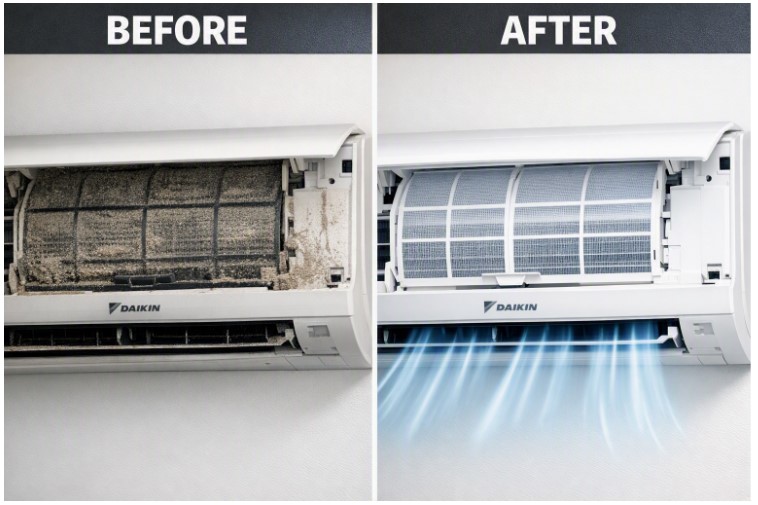
Indoor filters are the first visible warning sign after a sandstorm: once clogged, airflow drops and cooling performance suffers.
2. The outdoor unit loses heat rejection
The outdoor unit releases heat from your home to the outside air. When sand gathers on the coil and grille, heat cannot escape properly. The AC still runs, but it has to work harder, especially during hot weather.
If you see heavy sand around the outdoor unit, do not ignore it. Light surface dust can be removed carefully, but deep coil cleaning should be done by a qualified technician. Using high-pressure water or rough tools can damage the coil fins.
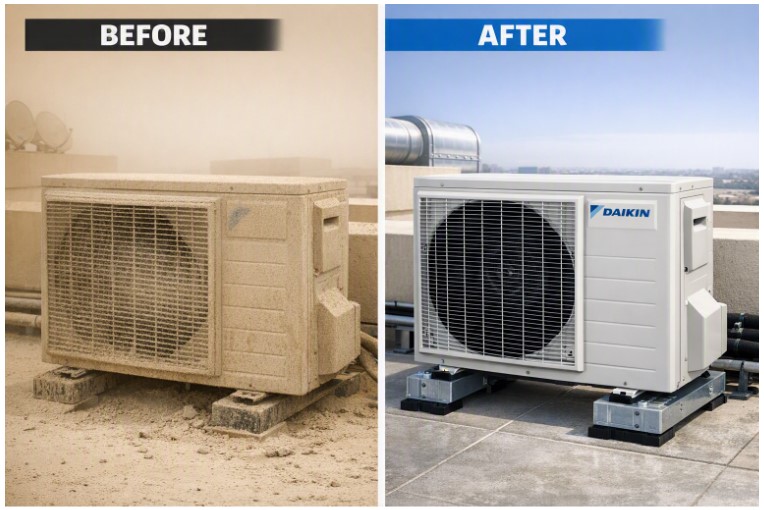
Sand and fine dust can coat the outdoor condenser coil, reducing heat rejection and forcing the compressor to work harder.
3. Indoor air can feel dusty even after the storm
Fine particles can stay suspended indoors for hours after a sandstorm. These tiny particles, including PM2.5, are hard to see but can affect comfort. People may notice throat irritation, coughing, watery eyes, or more dust settling on furniture.
Standard AC filters help, but they are not a full air purification solution. Keeping filters clean, closing gaps during storms, and improving filtration where suitable will reduce the load on the AC and help maintain better indoor air quality.
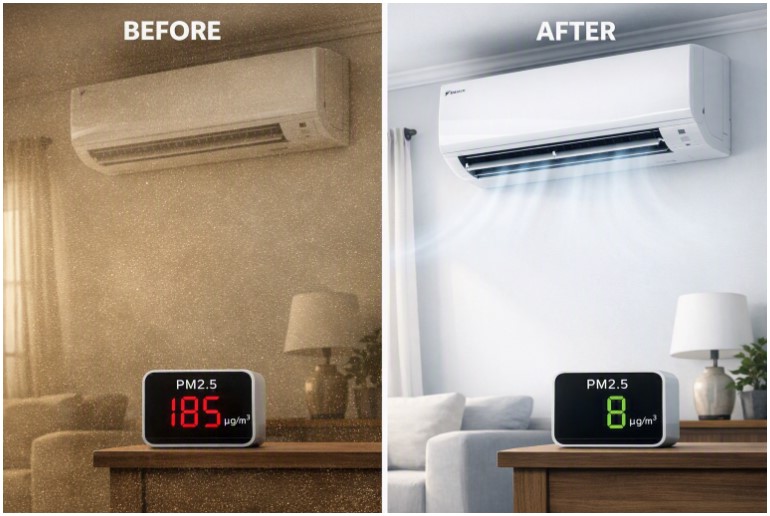
Fine PM2.5 particles can remain suspended indoors after a storm, increasing the need for proper filtration and timely maintenance.
What should you do before, during, and after a sandstorm?
Before the storm: close windows and balcony doors properly, check visible gaps, clear loose dust and debris around the outdoor unit, and make sure the area around the condenser is not blocked.
During the storm: keep doors and windows closed. If outdoor dust is very heavy and cooling is not urgently needed, reduce AC use until the worst period passes. If you must run the AC, avoid bringing in unnecessary outdoor air where your system allows recirculation.
After the storm: check the indoor filter first. If it is dusty, clean or replace it. Then check the outdoor unit visually. If the coil or grille looks heavily covered, arrange proper cleaning. Also wipe supply grilles and return air openings inside the home.
Clear homeowner action list
Use this simple checklist after every major sandstorm:
Check indoor filters within 24 hours.
Clean or replace filters if airflow feels weak or filters look dusty.
Look at the outdoor unit for sand buildup.
Keep at least clear space around the outdoor unit so heat can escape.
Do not use high-pressure washing on the coil.
Book a professional service if cooling remains weak after filter cleaning.
Increase filter checks during sandstorm season instead of waiting for the normal schedule.
When should you call a technician?
Call for service if the AC is cooling poorly even after filter cleaning, the outdoor coil is visibly packed with dust, there is unusual noise, the unit runs continuously without reaching temperature, or indoor air still feels dusty after cleaning the filter and room surfaces.
Why Daikin matters in dusty environments
In the Middle East, AC systems do not operate in laboratory conditions. They face heat, dust, sand, long running hours, and repeated seasonal stress. A good system must be efficient, durable, easy to maintain, and supported by proper service. Daikin systems are designed with this reality in mind, but even the best equipment needs clean filters, clear coils, and timely maintenance to perform at its best.
Simple takeaway
A sandstorm does not usually destroy an AC in one day. The real damage comes from ignoring dust after the storm. Check the filter. Inspect the outdoor unit. Keep airflow clear. Service the unit when performance drops. Small action after every storm protects comfort, energy use, and equipment life.